A complete first run on Fuzze.rs: a small deliberately-buggy C target, a short Dockerfile, a config file, and the crash report that comes back. The same shape works for any C or C++ target.
This walkthrough uses libFuzzer. Switching to AFL++, honggfuzz, or centipede later is a one-field change.
The Target
We need a target with a real bug. Here is a 12-line C program with a stack buffer overflow gated by a 4-byte magic prefix:
#include <stdint.h>
#include <stddef.h>
#include <string.h>

int LLVMFuzzerTestOneInput(const uint8_t *data, size_t size) {
    if (size >= 4 &&
        data[0] == 0x46 && data[1] == 0x55 &&   /* "FU" */
        data[2] == 0x5a && data[3] == 0x5a) {  /* "ZZ" */
        char buf[8];
        memcpy(buf, data, size);
    }
    return 0;
}
The prefix matters. A naive random fuzzer would need on the order of 232attempts to land on "FUZZ" by accident. libFuzzer instruments the binary at compile time, sees that each matching byte unlocks a new code path, and walks into the inner block within seconds.
Once it is in, any input longer than 8 bytes overflows buf. AddressSanitizer catches the write past the stack frame and aborts the process. libFuzzer records that abort as a crash.
The Dockerfile
Fuzze.rs runs your code inside a Docker image you provide. The image just needs to produce an executable that libFuzzer can drive: anything compiled with-fsanitize=fuzzer,address will work.
This Dockerfile inlines the C source so you can paste the whole thing in one go:
FROM ubuntu:22.04

RUN apt-get update && apt-get install -y --no-install-recommends \
      clang ca-certificates && \
      rm -rf /var/lib/apt/lists/*

RUN printf '%s\n' \
    '#include <stdint.h>' \
    '#include <stddef.h>' \
    '#include <string.h>' \
    '' \
    'int LLVMFuzzerTestOneInput(const uint8_t *data, size_t size) {' \
    '    if (size >= 4 &&' \
    '        data[0] == 0x46 && data[1] == 0x55 &&   /* "FU" */' \
    '        data[2] == 0x5a && data[3] == 0x5a) {  /* "ZZ" */' \
    '        char buf[8];' \
    '        memcpy(buf, data, size);' \
    '    }' \
    '    return 0;' \
    '}' \
    > /fuzz_target.c

RUN clang -g -O1 -fsanitize=fuzzer,address /fuzz_target.c -o /fuzzer

ENTRYPOINT ["/fuzzer"]
Two flags do the work. -fsanitize=fuzzer links libFuzzer;LLVMFuzzerTestOneInput becomes the entry point and libFuzzer supplies its own main. -fsanitize=address links AddressSanitizer, which catches the overflow at the instruction that overflows, with a stack trace and a memory map. Without ASan the bug corrupts the stack silently and the fuzzer never notices.
The Config
The config wires up the run: which engine, for how long, where to file crashes.
{
  "name": "first-fuzz-tutorial",
  "mode": "individual",
  "executor": "libfuzzer",
  "timeout_secs": 300,
  "crash_uploader": {
    "github": {
      "github_token": "ghp_REPLACE_WITH_YOUR_TOKEN",
      "github_project_owner": "your-github-handle",
      "github_project_name": "crash-reports"
    }
  }
}nameis what shows up in your dashboard.modeis"individual"for one fuzzer or"power"for multiple fuzzers racing on the same target with a shared corpus.executorpicks the engine:libfuzzer,afl,aflqemu,honggfuzz, orcentipede. Useaflqemuwhen you can't recompile the target.timeout_secscaps the run. 300 (5 minutes) is fine for a tutorial. Real runs go hours or days. The ceiling is 604800 (7 days).crash_uploaderis where issues get filed when crashes show up. GitHub, GitLab, Jira, or Linear; one set of credentials.
A GitHub fine-grained PAT with Issues: write scope on a target repo is enough. Drop the token into github_token and you are ready. To skip the upload for a first run, use a fake token; crashes still get recorded.
Submitting the Job
Sign in at fuzze.rs and click Start Job on the Jobs page.
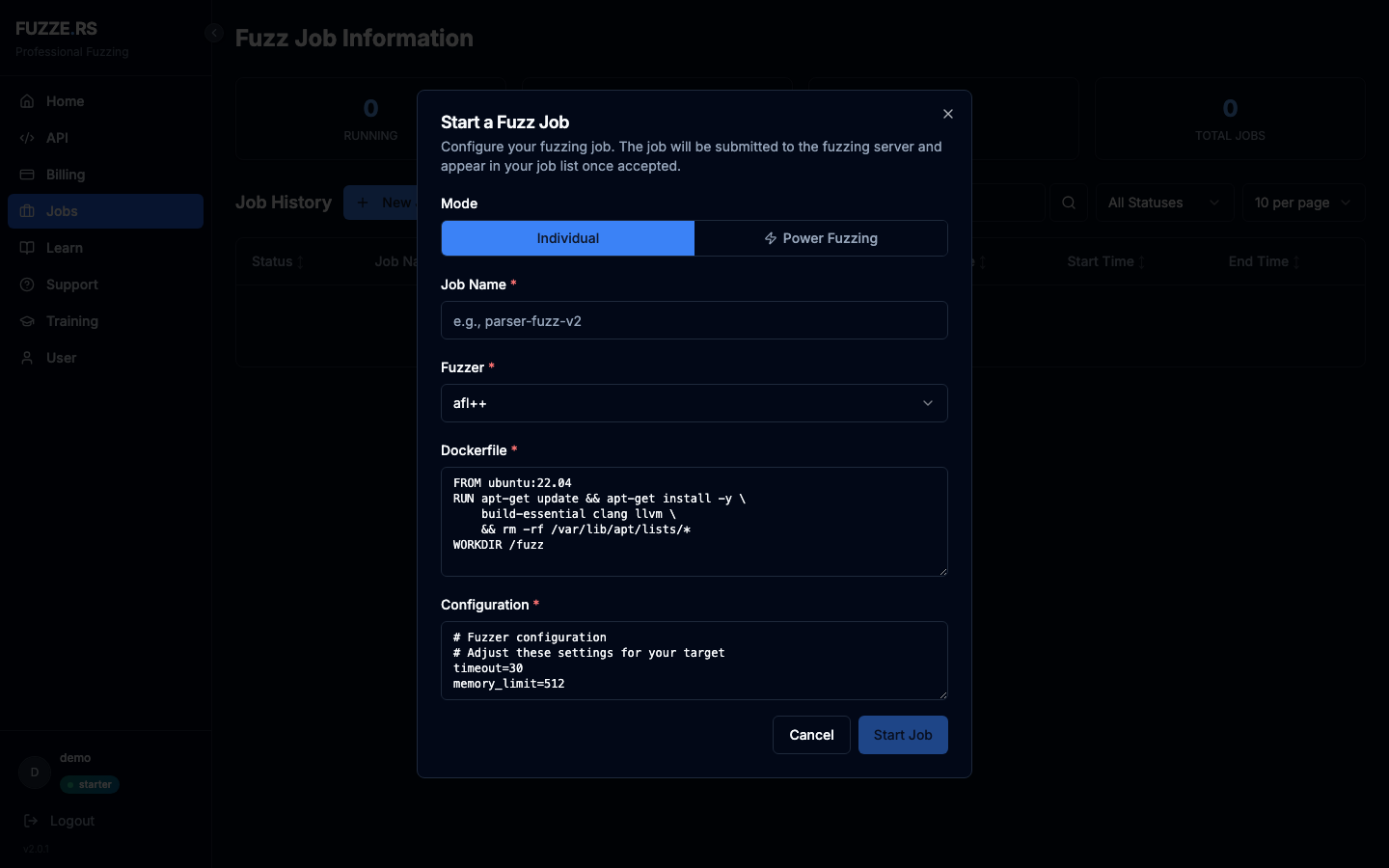
Paste the Dockerfile and the config into the corresponding fields, give the job a name, and pick libfuzzer as the fuzzer.
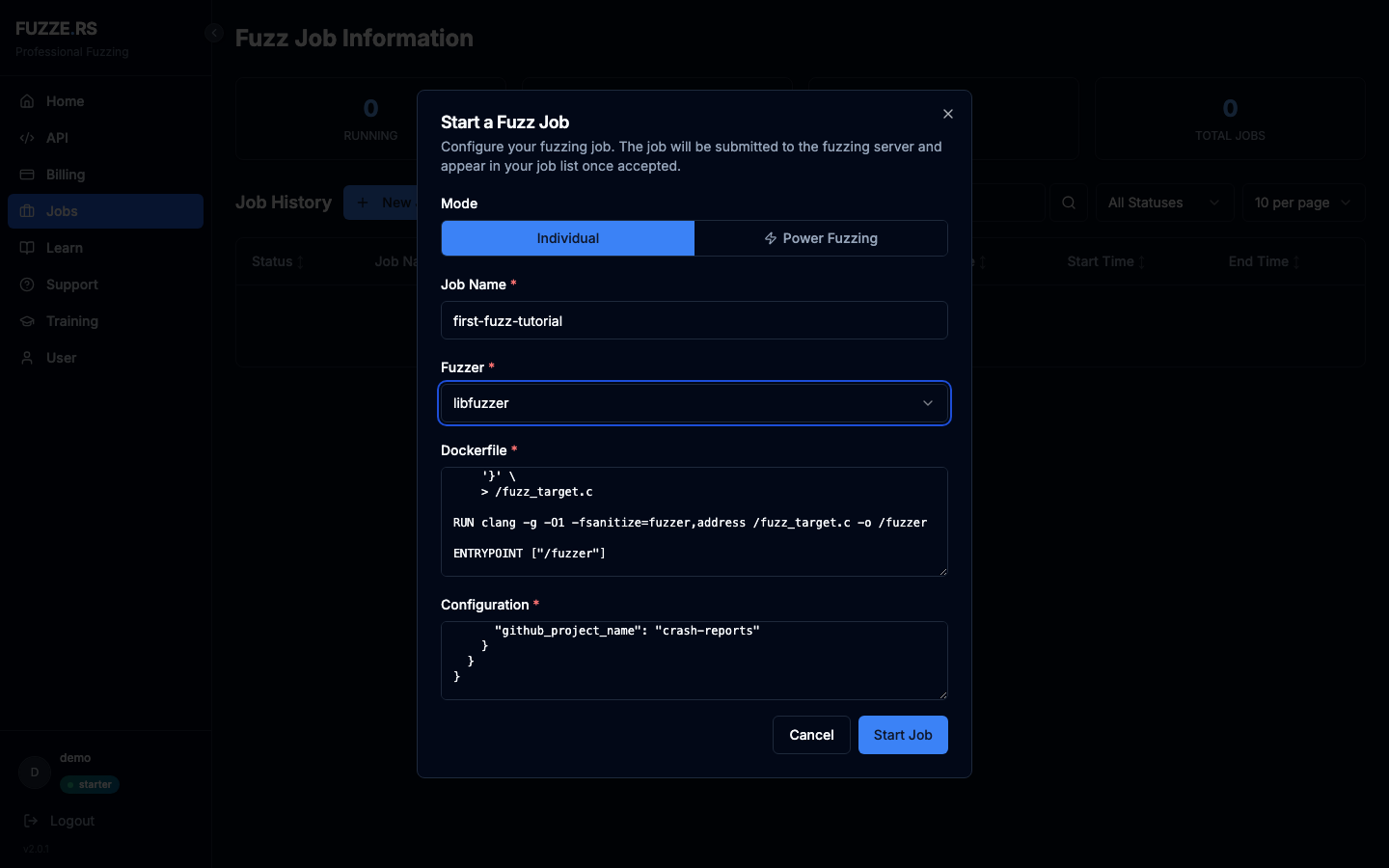
Click Start Fuzzing. The dialog closes and your new job appears in the list with status Queued.
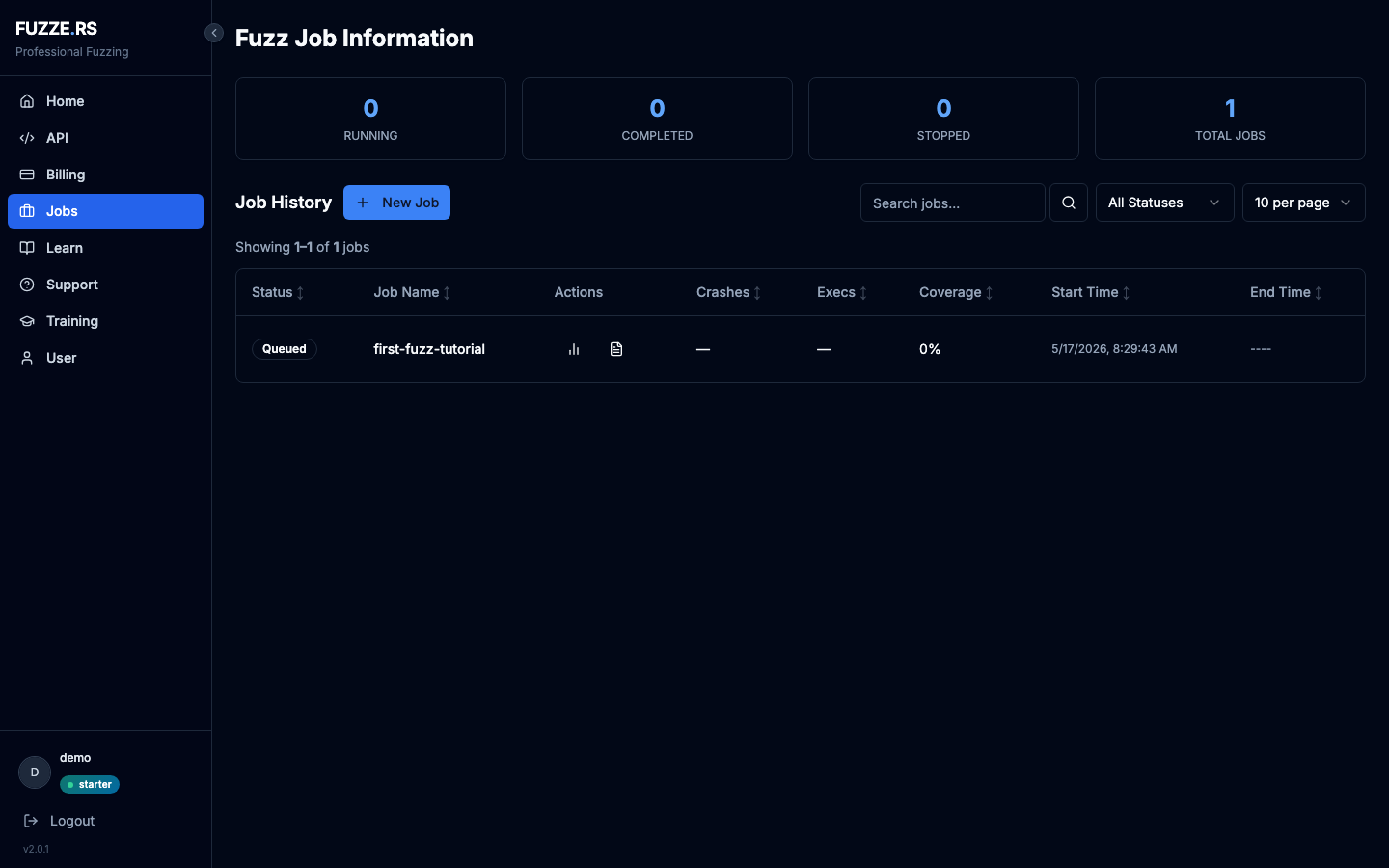
What Happens Next
Within a minute your job flips from Queued to Started. Fuzze.rs has built your image and is running the fuzzer on compute sized to your plan: Starter is the equivalent of 8 vCPU and 32 GB. Bigger plans get bigger.
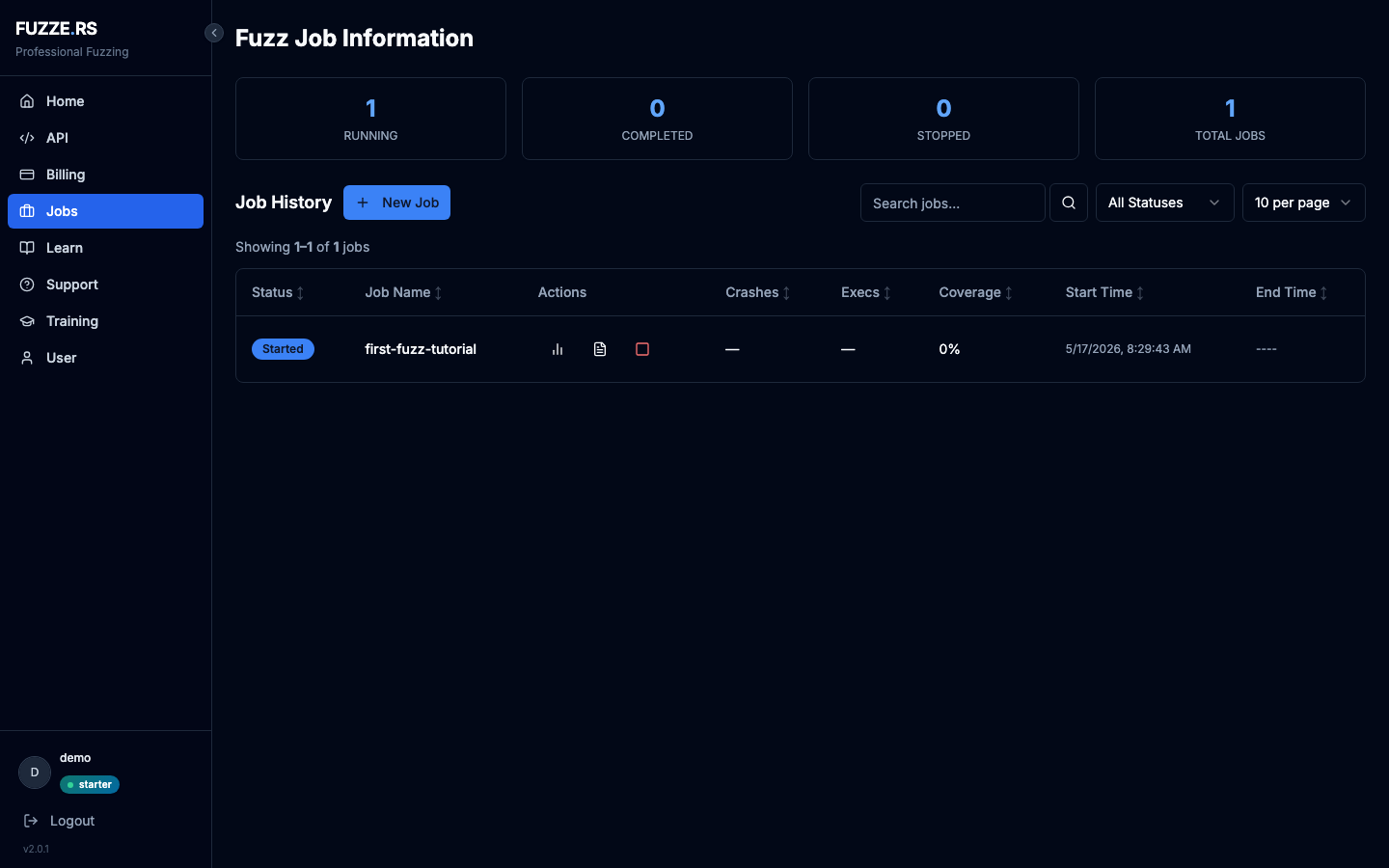
libFuzzer reaches the inner block almost immediately, and the first input longer than 8 bytes overflows buf. AddressSanitizer catches the write, libFuzzer records the crash, and the dashboard updates: the Crashes column ticks from— to 1, the Crashes Found metric increments, and an issue lands on your configured upstream with the input bytes, the ASan stack trace, and a content-hash fingerprint that keeps re-discoveries from spamming you.
While the job runs:
- Live stats stream to your dashboard: executions per second, coverage, unique inputs. You don't have to wait for the run to finish to see progress.
- Each new crash gets deduplicated and filed. Identical inputs don't create duplicate issues; each unique crash carries the offending bytes, the sanitizer stack trace, and a top-of-stack fingerprint.
- The corpus grows. Inputs that hit new code paths get kept and reused as seeds for future mutations.
Reading the Crash
Each filed crash carries three things:
- The crashing input bytes, hex-encoded. Reproduce locally with
echo <hex> | xxd -r -p > crash.bin && ./fuzzer crash.bin. - The ASan diagnostic: the source line that overflowed, which bytes were written past the buffer, and a backtrace.
- A signature derived from the top of the call stack so duplicate crashes collapse into a single ticket.
For our toy target the diagnostic points at the memcpy inLLVMFuzzerTestOneInput, the input starts with46 55 5a 5a ("FUZZ"), and the rest is whatever libFuzzer mutated to keep the input growing.
Stopping the Job
Either let the job run to timeout_secs (it ends on its own) or clickStop in the jobs list. Stop is idempotent: clicking it on an already-stopped job is a no-op. If anything unusual happens on the way down, you get a clear error so you know whether the job is fully stopped.
Switching to Another Fuzzer
Swap engines by changing one field in the config:
"executor": "afl"runs AFL++ in coverage-guided mode. Often better at deep mutations."executor": "aflqemu"runs AFL++ with QEMU emulation. Use this for closed-source binaries you can't recompile."executor": "honggfuzz"runs honggfuzz. Strong on programs with hard-to-cover input formats."executor": "centipede"runs Google's Centipede. Distributed-friendly architecture.
For most C/C++ harnesses, libfuzzer is the right first choice: smallest setup, fastest exec rate, easy stats. If you already have an AFL-style harness reading from files, use afl or aflqemu.
Next Steps
- Power Fuzzing. Run all five engines in parallel on the same target. Each finds bugs the others miss, and the shared corpus means discoveries cross-pollinate. Same plan cost.
- Continuous fuzzing in CI. A short-runtime fuzz job on every PR catches regressions before merge. See theCI/CD integration guide.
- A real seed corpus. Our toy target starts from
/dev/urandom. For real targets, supply a handful of known-good inputs (sample files, edge cases). The fuzzer reaches deeper coverage faster.
Questions? Get in touch.